Tutorials
How to save places you like.
Four quick ways to turn a place you find into something you can actually remember.
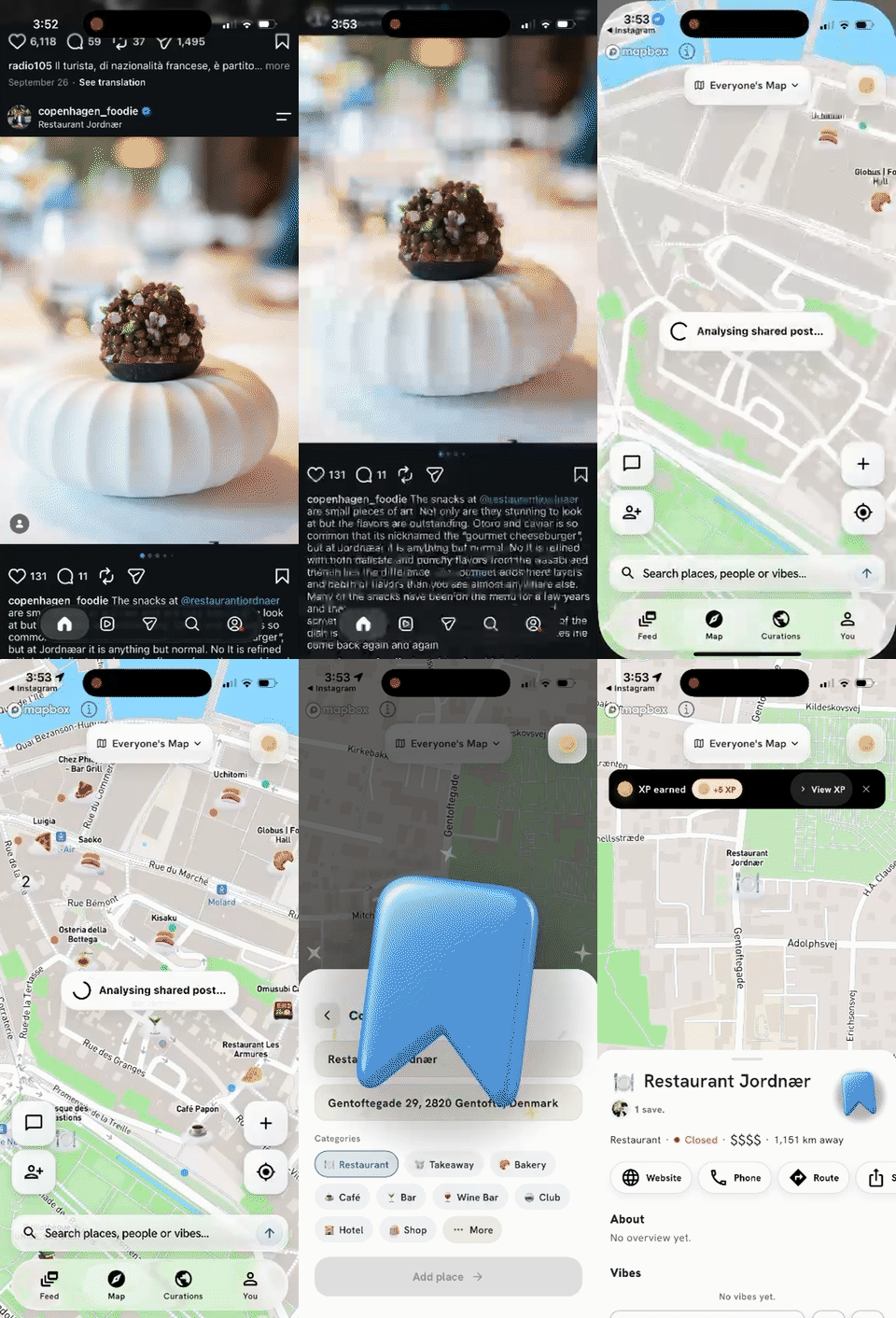
Instagram / TikTok
- When you see a restaurant, bar, cafe, or place on Instagram or TikTok, share it with the app!
- YouKnow will open automatically and identify the likeliest matching places.
- Review the detected place and save it once it looks right.
Pictures
- Take a picture directly in the app when you see a place you want to remember.
- Or upload a picture from inside YouKnow if it is already on your phone.
- You can also share a picture from your gallery straight into YouKnow.
- Confirm the matched place, then save it for later.
Google Saved Places
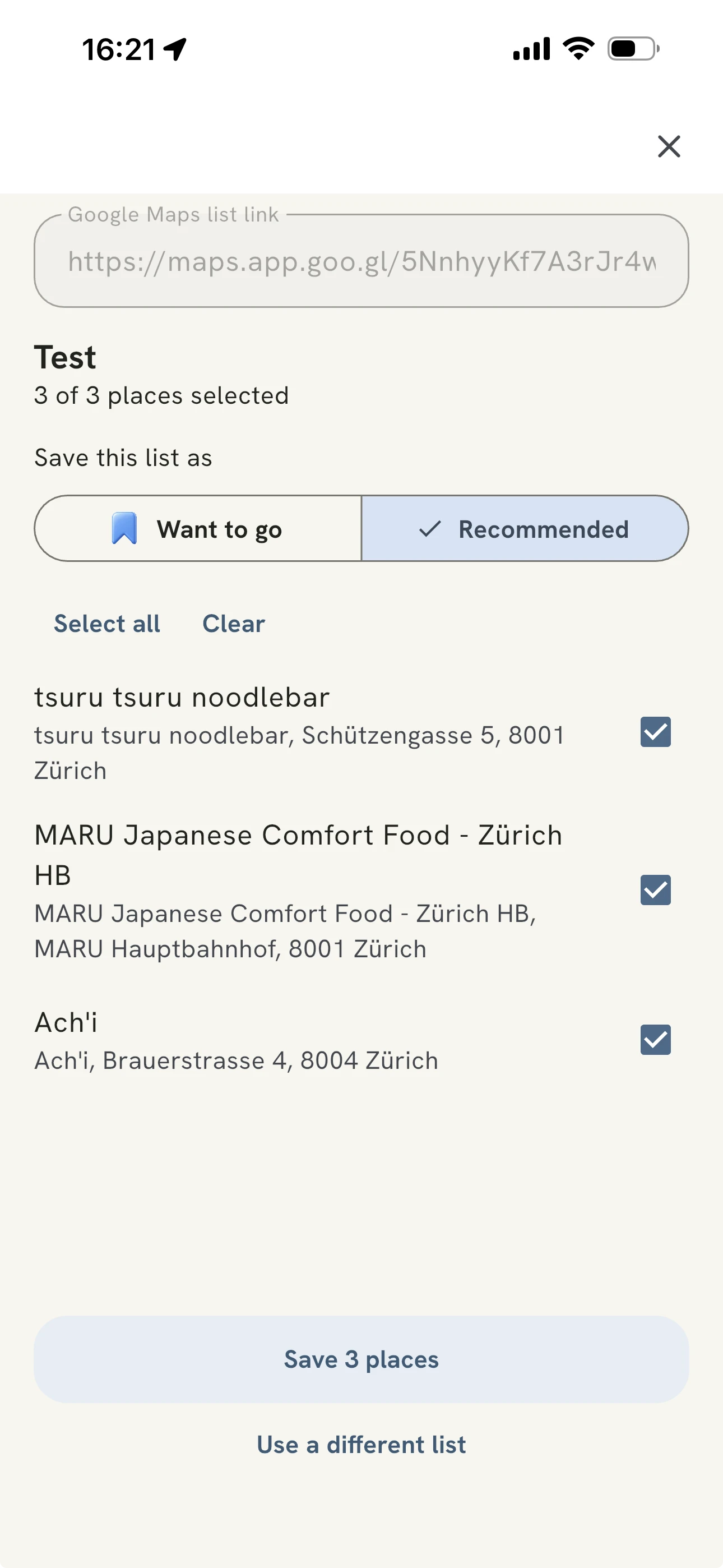
- Open a saved list in Google Maps, make it public or turn on link sharing, then copy its link.
- In YouKnow, tap the add button, choose Import from Google Maps, and paste the list link.
- Review the places and select the ones you want to add. Deselect any you do not want, or use Select all and Clear to change your selection.
- Choose Want to go or Recommended, then save the selected places to your map.
Manually
- Open YouKnow and tap the add button.
- Search for the place by name or address.
- Choose the right result, add a note if you want, then save it to your map.